
SMART PHOTO BACKUP FOR MAC
Your photos.
More than one destination.
Your photos, your destinations, your control. Keep your photo library in sync with cloud storage and local destinations — automatically.
Built natively for macOS · Made for your photos
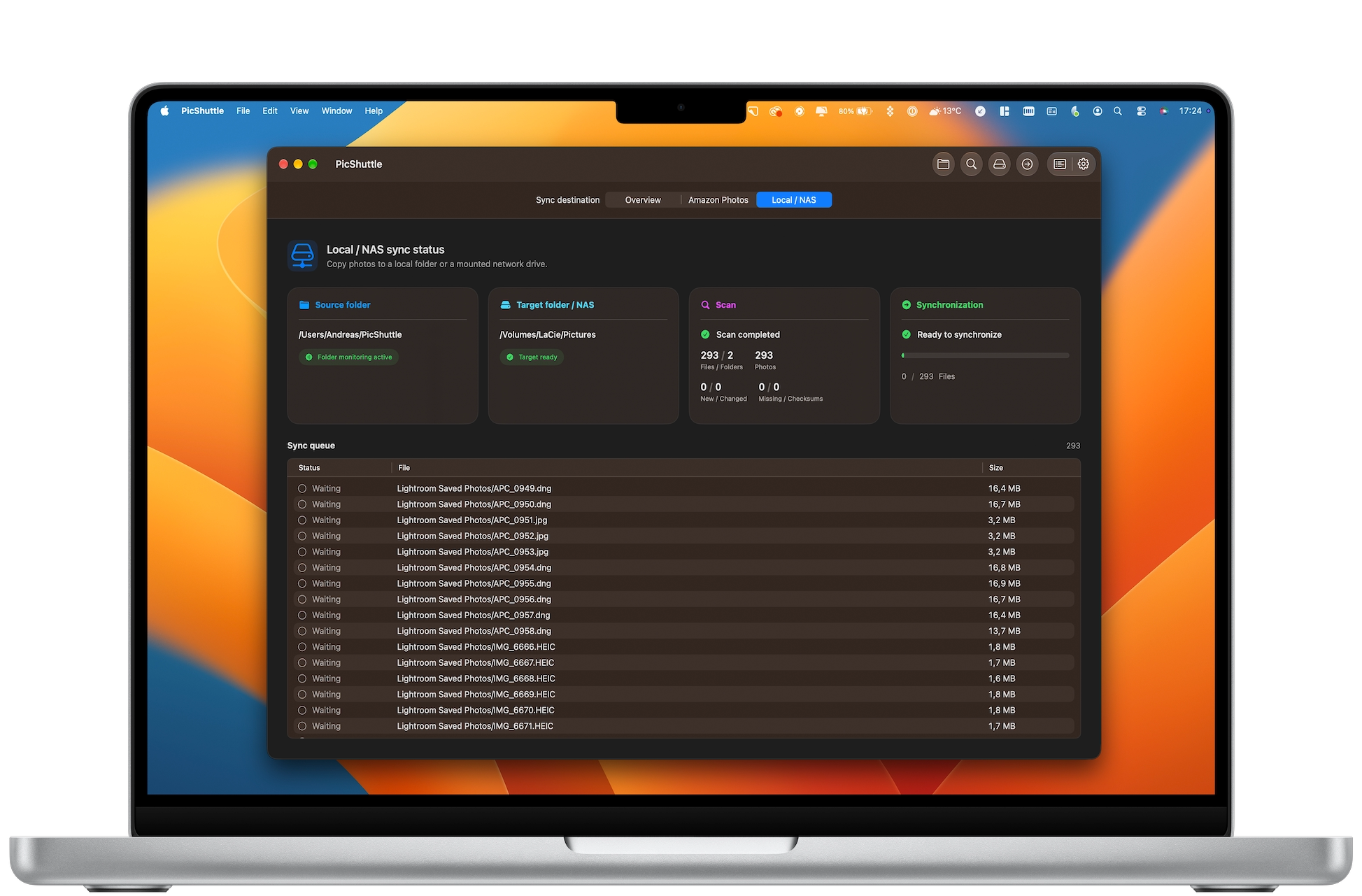
ONE SOURCE. MULTIPLE DESTINATIONS.
Your photos. Wherever you need them.
Choose where your photos go. PicShuttle helps you keep your library in sync with the destinations that matter to you.

Amazon Photos
Sync your photos to your Amazon Photos library.

Local & NAS
Keep additional copies on local or network storage.

Backblaze B2
Store an additional copy in independent cloud storage.
Configure the destinations you need — and stay in control of your photos.
SIMPLE BY DESIGN
Three steps.
Your photos, everywhere.
Set it up once. Let PicShuttle take care of the rest.
01
Choose your source
Select the folder containing your photo library.
02
Add destinations
Choose where PicShuttle should sync your photos.
03
Stay in sync
PicShuttle monitors changes and syncs new photos automatically.
 Source folder
Your photos
Source folder
Your photos
 PicShuttle
Automatic sync
PicShuttle
Automatic sync
One source. Multiple destinations. Automatically.
BUILT FOR MACOS
Designed for your Mac.
Built around your photos.
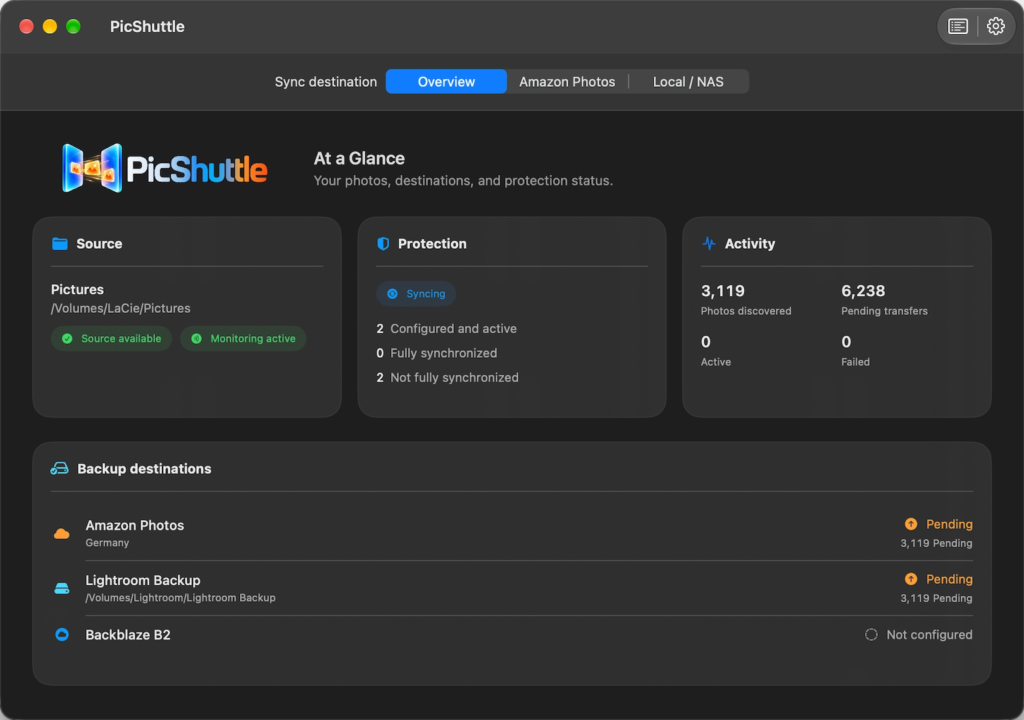
PicShuttle brings your sync destinations together in a native macOS app — with a clear overview and control over where your photos go.

Native macOS experience
A familiar interface designed for the Mac.

Everything at a glance
See your sources, destinations and sync status.

You’re in control
Configure the destinations that work for you.
THE STORY BEHIND PICSHUTTLE
23 years of memories.
One careless moment.
I’ve always taken good care of my hard drives. Regular monitoring helped me catch potential hardware problems early.
But the biggest threat to my photo library wasn’t a failing drive.
It was a USB cable.
One accidental tug sent my external hard drive crashing from the desk to the floor. In an instant, 23 years of digital photos were at risk.
23 years
of digital photos and memories
 Saved by an online backup
Fortunately, my Backblaze online backup kept those memories safe. That experience inspired me to build PicShuttle — a simple Mac app that helps keep photos in multiple places, locally and in the cloud.
Because some memories are simply irreplaceable.
A NOTE ON DATA PROTECTION
Sync is convenient.
Backup is essential.
Keeping your photos in multiple places is a great start. But synchronization alone isn’t a complete backup strategy. Accidental deletion, corrupted files or unwanted changes can sometimes spread across synchronized destinations.
For truly valuable memories, follow the 3-2-1 backup principle: keep three copies of your data, on two different types of storage, with at least one copy stored off-site.

3
Copies of your data
2
Different storage types

1
Off-site copy
PicShuttle helps you distribute your photos across destinations. A dedicated backup solution adds another important layer of protection.